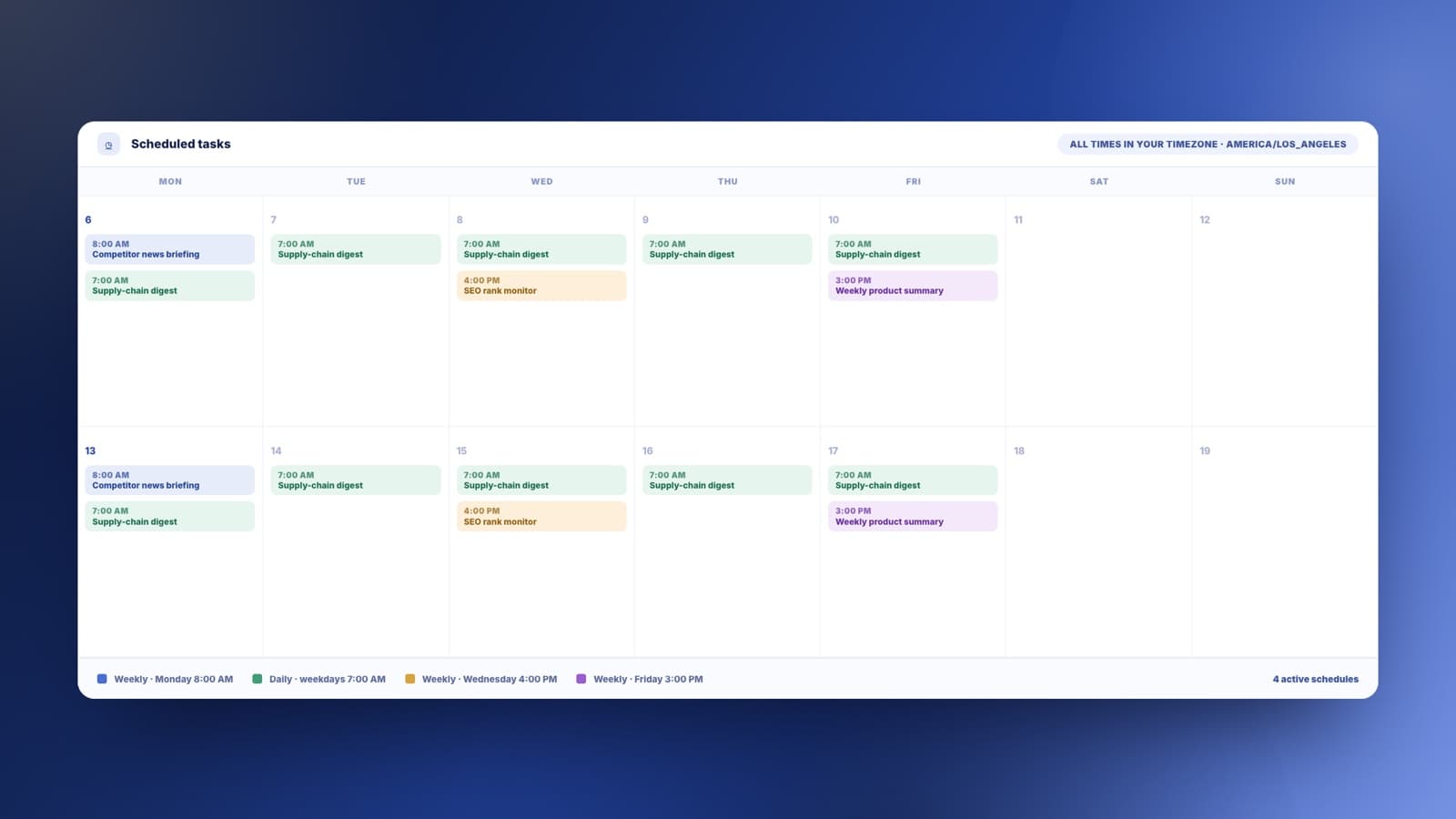
Put recurring work on the calendar
Daily supply-chain briefings, Monday SEO monitors, weekly product summaries: the work your team repeats becomes tasks that run on time.
Describe the work and when it should happen. Sharper builds the schedule, runs it on time, and leaves a trail you can check.
Daily supply-chain briefings, Monday SEO monitors, weekly product summaries: the work your team repeats becomes tasks that run on time.

Describe the work and the recurrence together. Sharper prepares the request with the schedule, timezone, and run mode visible, and you review it before anything is created.
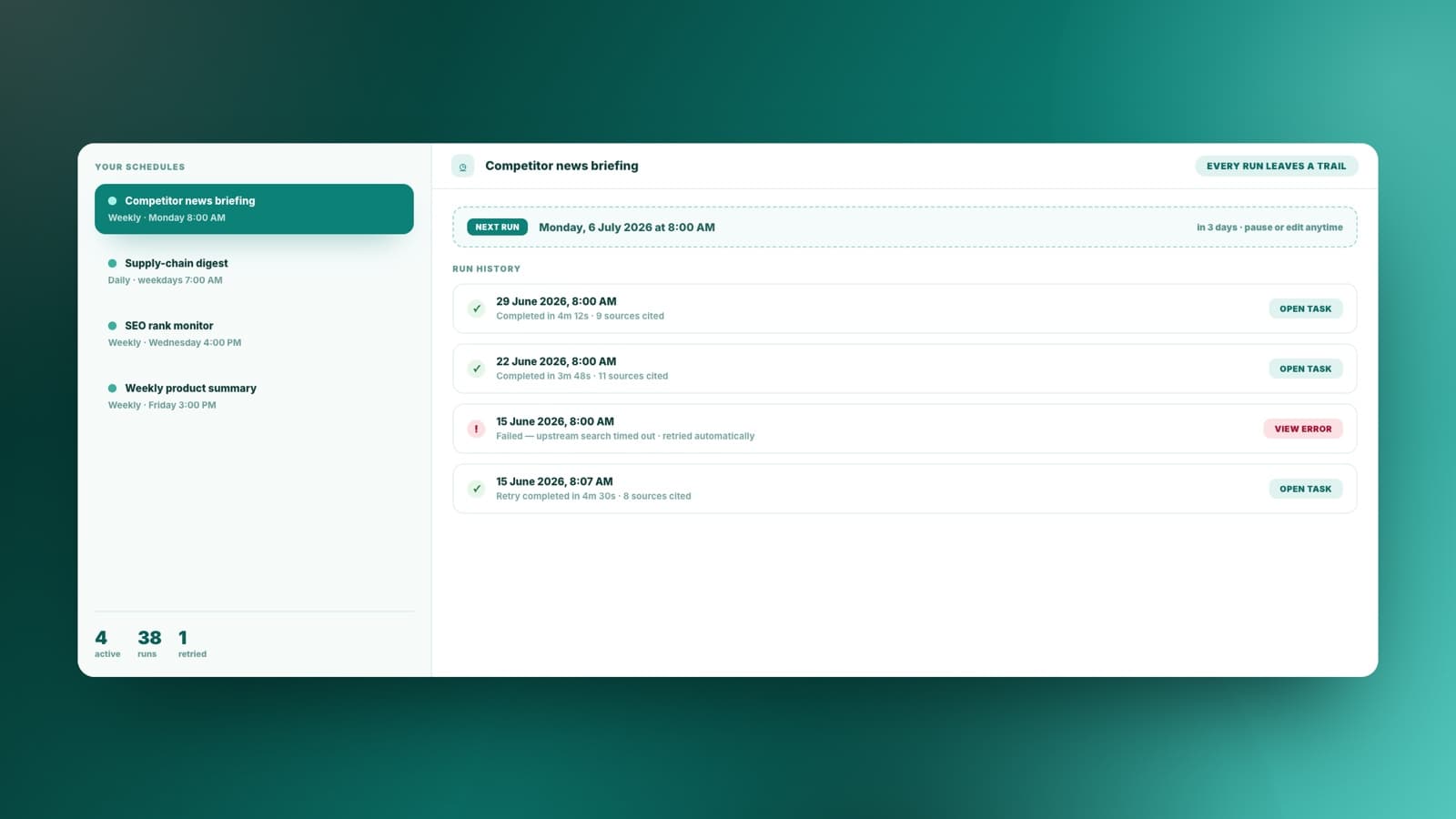
Use the calendar or task list to review upcoming work, open a schedule's configuration, pause or resume it, and create a task for a specific date.
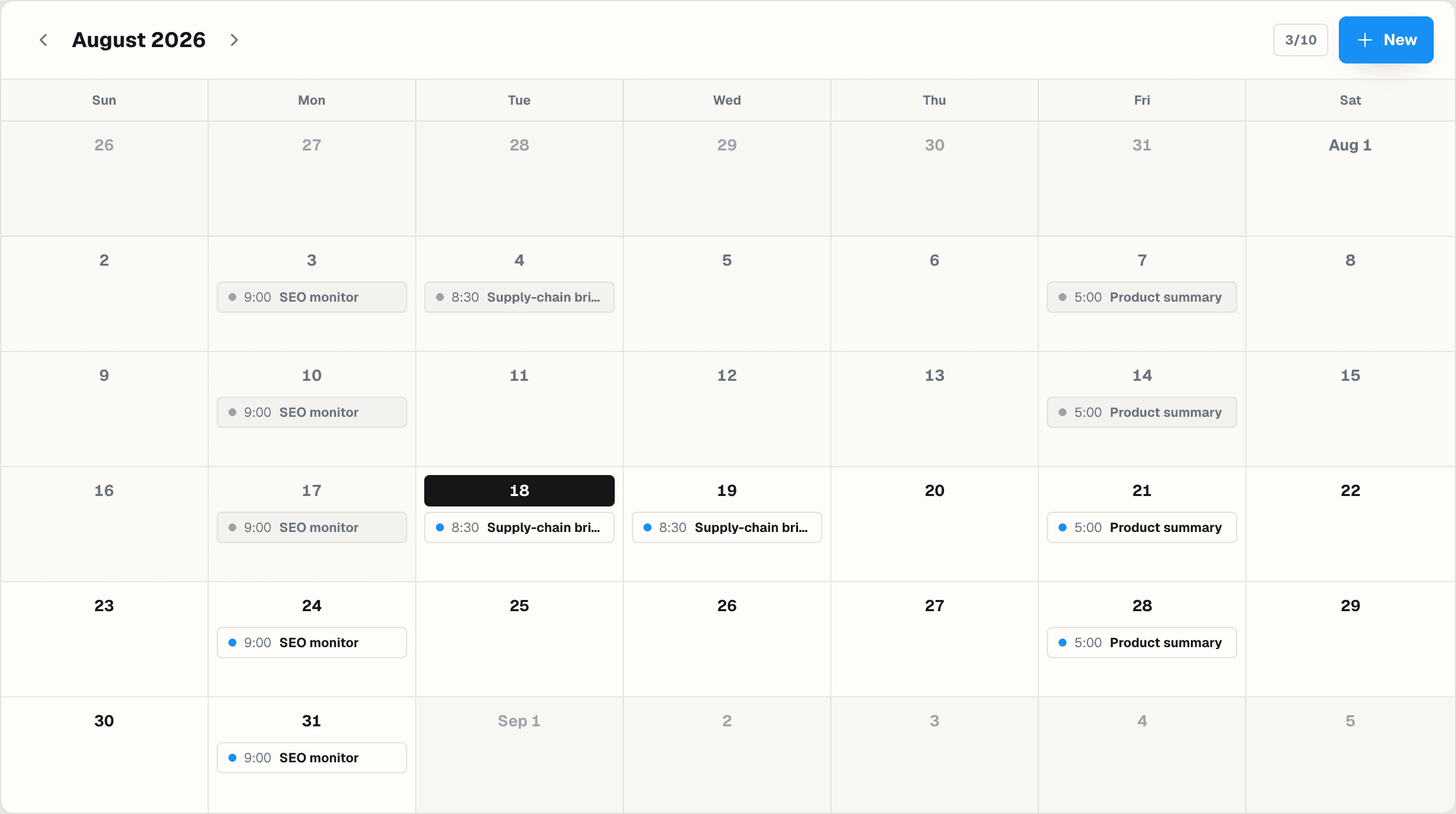
It helps when the work is genuinely recurring and the reason it slips is that nobody remembers to start it.
Monday rank checks, weekly competitor briefings, and content monitors that land before the standup instead of after it.
Daily supply-chain digests, inventory summaries, and status roll-ups that arrive on the same schedule every week.
A standing briefing on the market, the competition, or your own numbers, without asking anyone to prepare it.
Track a topic over time by running the same question on a cadence and keeping every run to compare against.
Say it in a sentence, check what Sharper prepared, and let it run.
Put the work and the recurrence in the same sentence. No cron syntax and no configuration screen to learn.
Sharper shows the schedule it read out of your text — recurrence, time, timezone, and run mode — so you can correct it first.
One-time, hourly, daily, weekly, or monthly, anchored to an explicit time in your timezone rather than a vague interval.
Every completed run links back to the task it created, and failures are visible instead of silently skipped.
A recurring job is only useful if you can see what it did. Sharper keeps the next run, the past runs, and the work each one produced in one place.
Runs on time, and every run leaves a trail
| A reminder or a cron job | Sharper | |
|---|---|---|
| What happens at the time | You get a nudge and still do the work yourself | The work runs and the result is waiting for you |
| Setting it up | Cron syntax, or a form with a dozen fields | One sentence, with the schedule shown back to you before it saves |
| After a run | No record beyond whether it fired | Each run links to the task and the output it produced |
| When something breaks | Silence, until you notice the gap | The failed run is visible with its reason |
Practical details about using Sharper as an AI task scheduler.
Yes. Describe the work, start time, recurrence, timezone, and run mode in plain language. Sharper prepares the request and creates the persistent schedule after you review it.
Scheduled tasks support one-time, every-N-hours, daily, weekly, and monthly schedules. Weekly and monthly schedules use the weekday or month day from the start time.
Same task reuses one conversation so context accumulates across runs. Independent task starts a fresh conversation for every run, which suits standalone briefings and reports.
Failed runs stay visible in the run history for diagnosis. Completed runs link back to the task conversation they created, so you can always inspect what a run actually did.
Every schedule is anchored to an explicit timezone, so an 8:00 AM briefing stays at 8:00 AM local time regardless of where your team or servers are.
Yes. The task runs on Sharper's Free plan, which includes 300 credits per week and up to 3 scheduled tasks. Paid plans add more credits and capacity.
Normal action confirmations stay enabled by default, so a scheduled run asks before taking consequential actions unless you explicitly configure it otherwise.
A schedule is only as useful as the work it runs. These tools are what a scheduled task usually produces.
Describe the work and the schedule, review the prepared task, and let Sharper run it on time.
Free to start. No credit card required.