AI Chat

Ask anything — then point Sharper at your own PDFs, documents, and webpages so the answers come from sources you trust, with the exact passage shown next to every claim.

Depth

What Will You Ask?

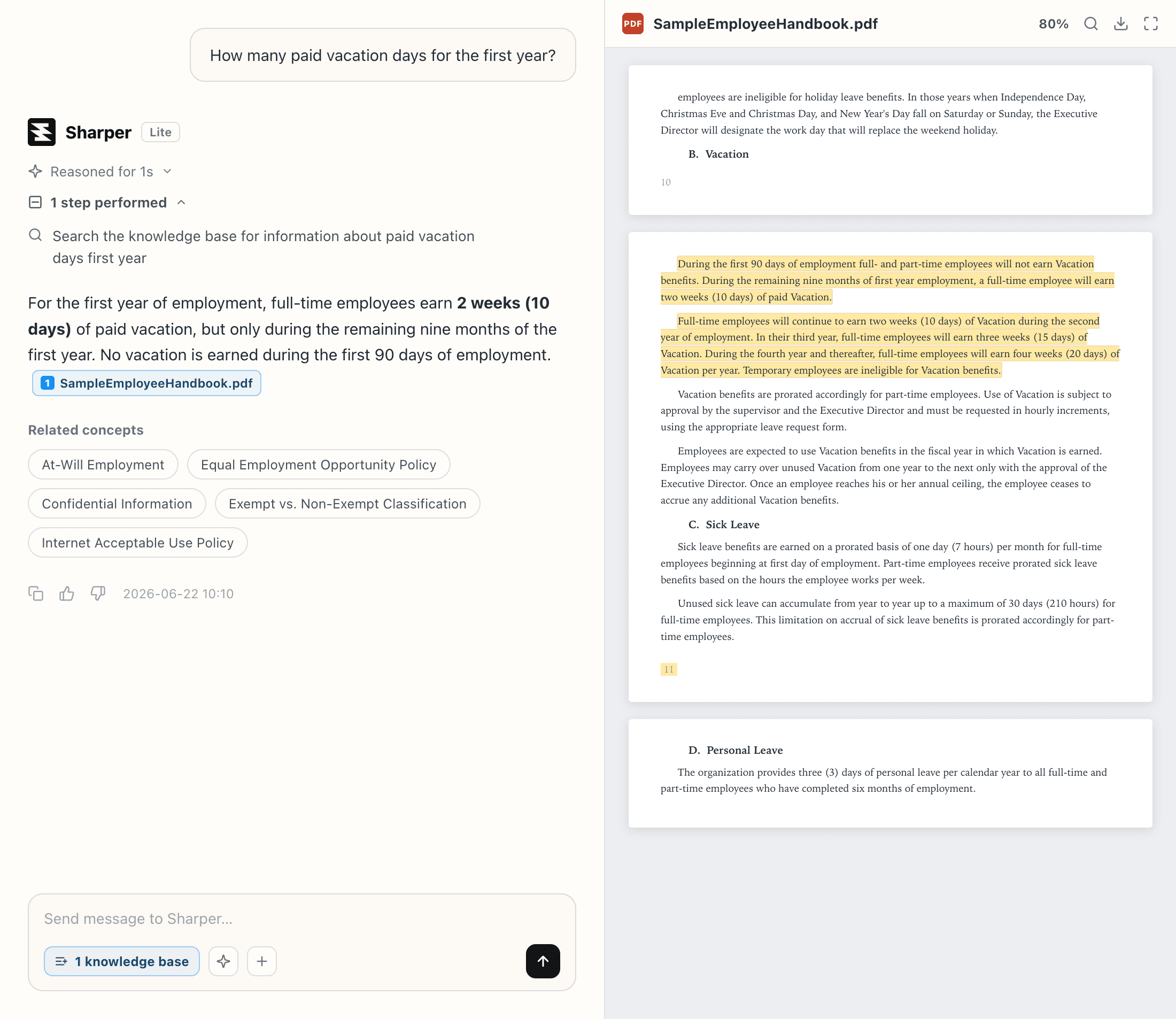
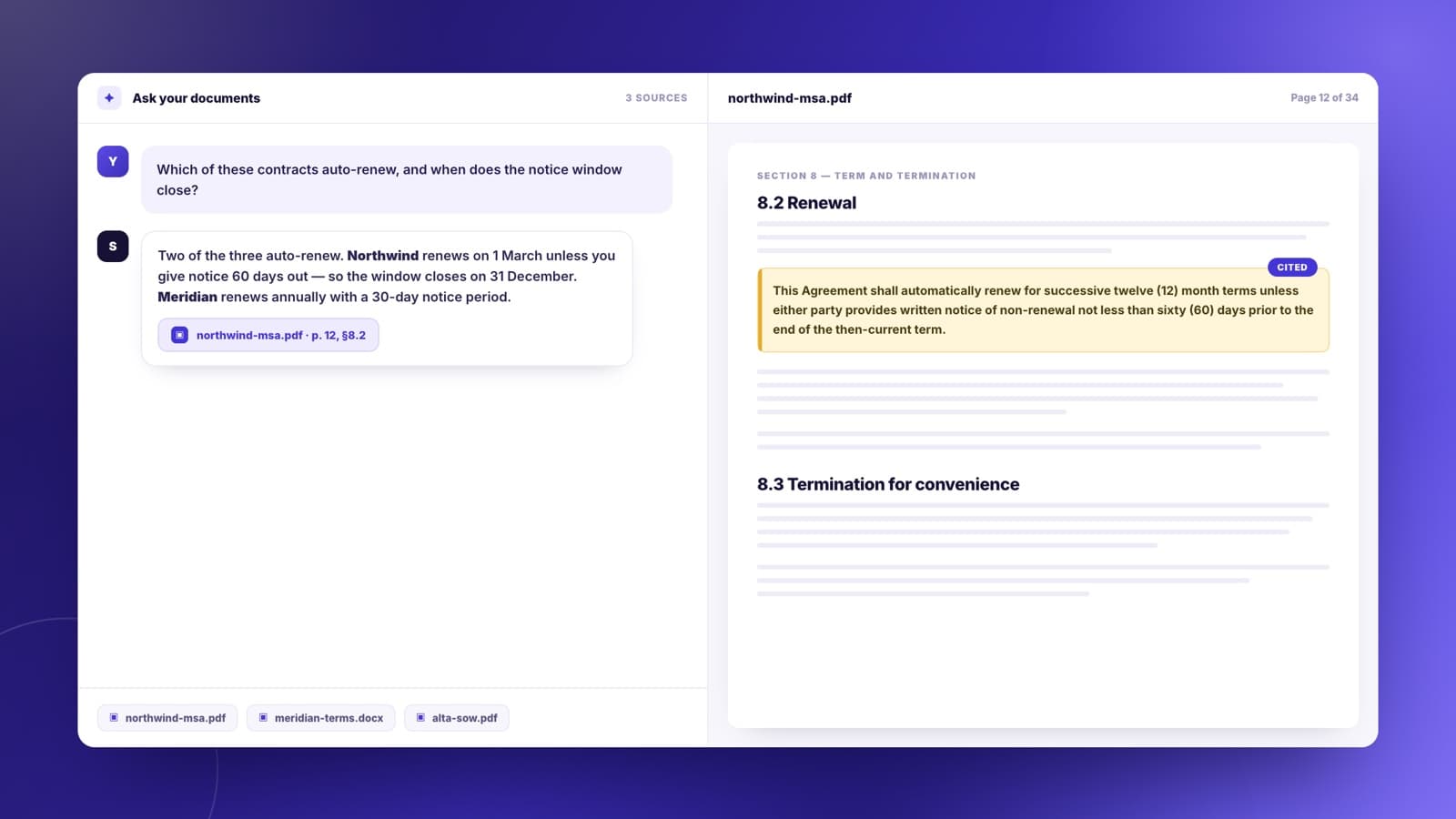
A chat answering a question about an uploaded PDF, with the cited passage highlighted in a document preview beside the conversation

Chat With Your Own Documents

Upload PDFs, Word files, or slide decks and ask questions across all of them at once. Every answer shows the passage it came from, highlighted in the original page, so you can check it in a second rather than trusting it.
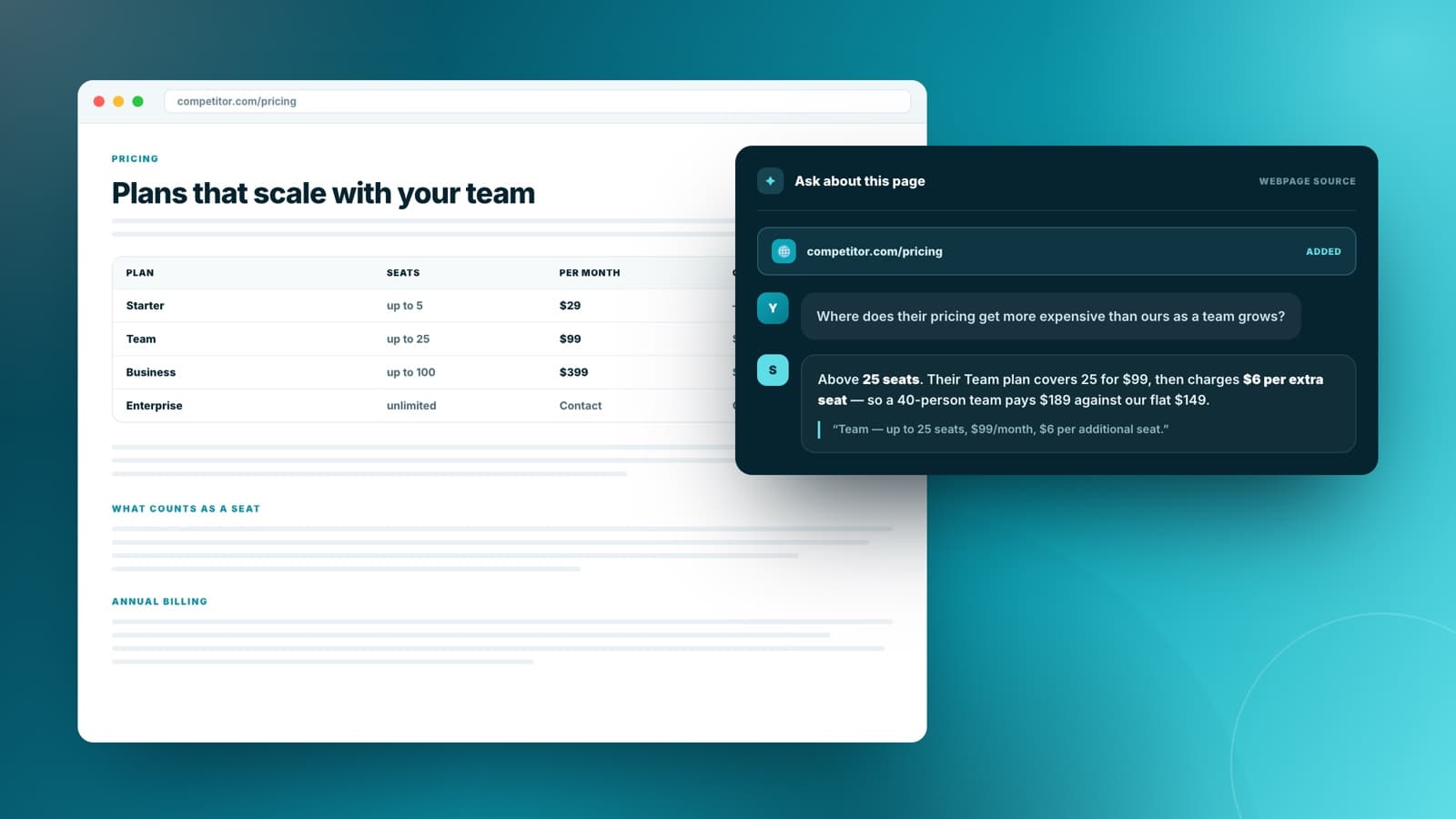
A webpage added as a chat source, with the conversation answering questions about its content

Ask About Any Webpage

Paste a URL — documentation, a competitor's pricing page, a long report — and ask about it directly. Sharper reads the page into a knowledge base so follow-up questions stay grounded in what it actually says.

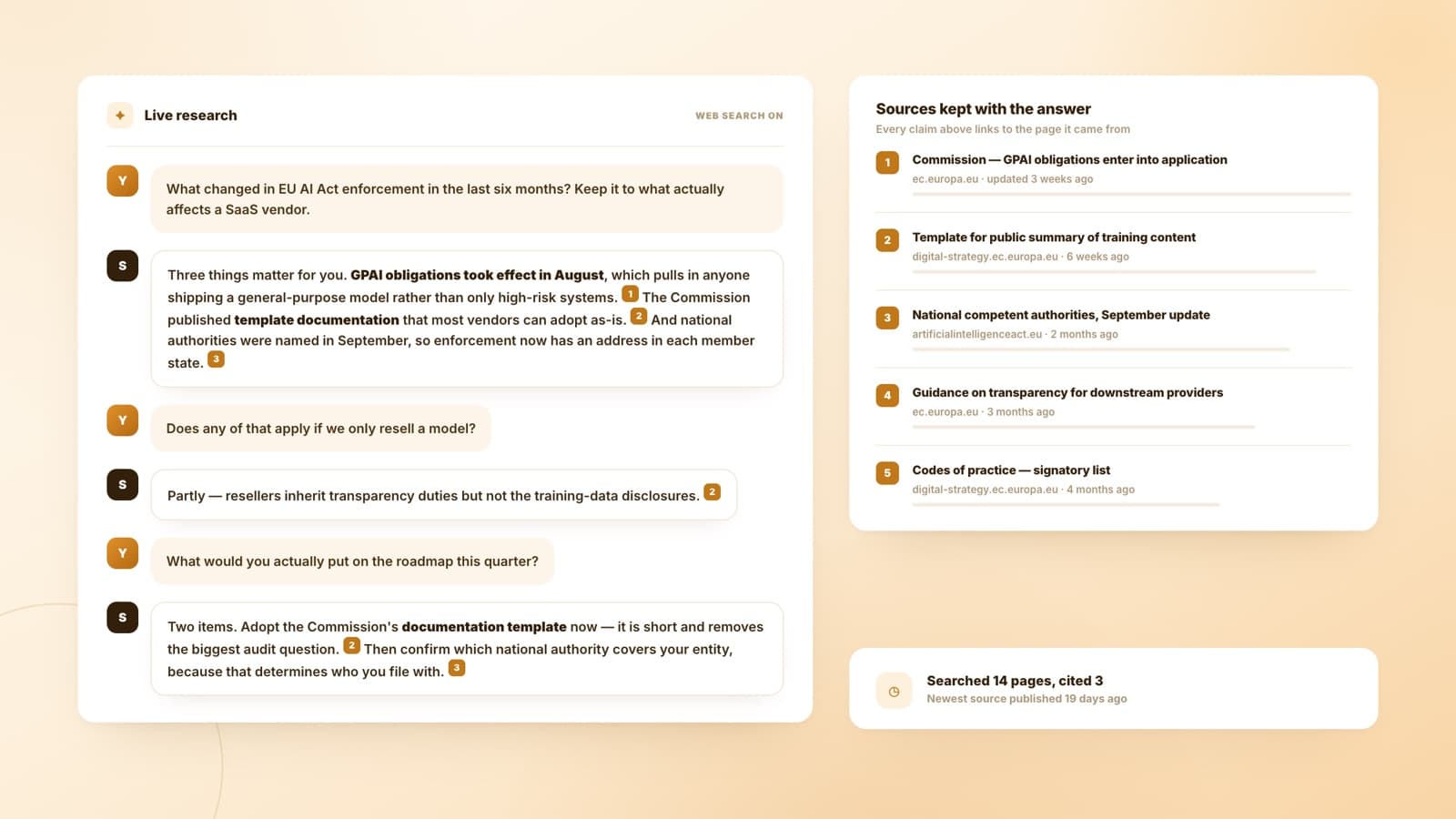
A chat research answer with numbered citations linked to a list of live web sources

Research With Live Sources

Ask about something that changed last week. Sharper searches the web, reads what it finds, and keeps every link next to the claim it supports — so a research answer arrives with its receipts attached.

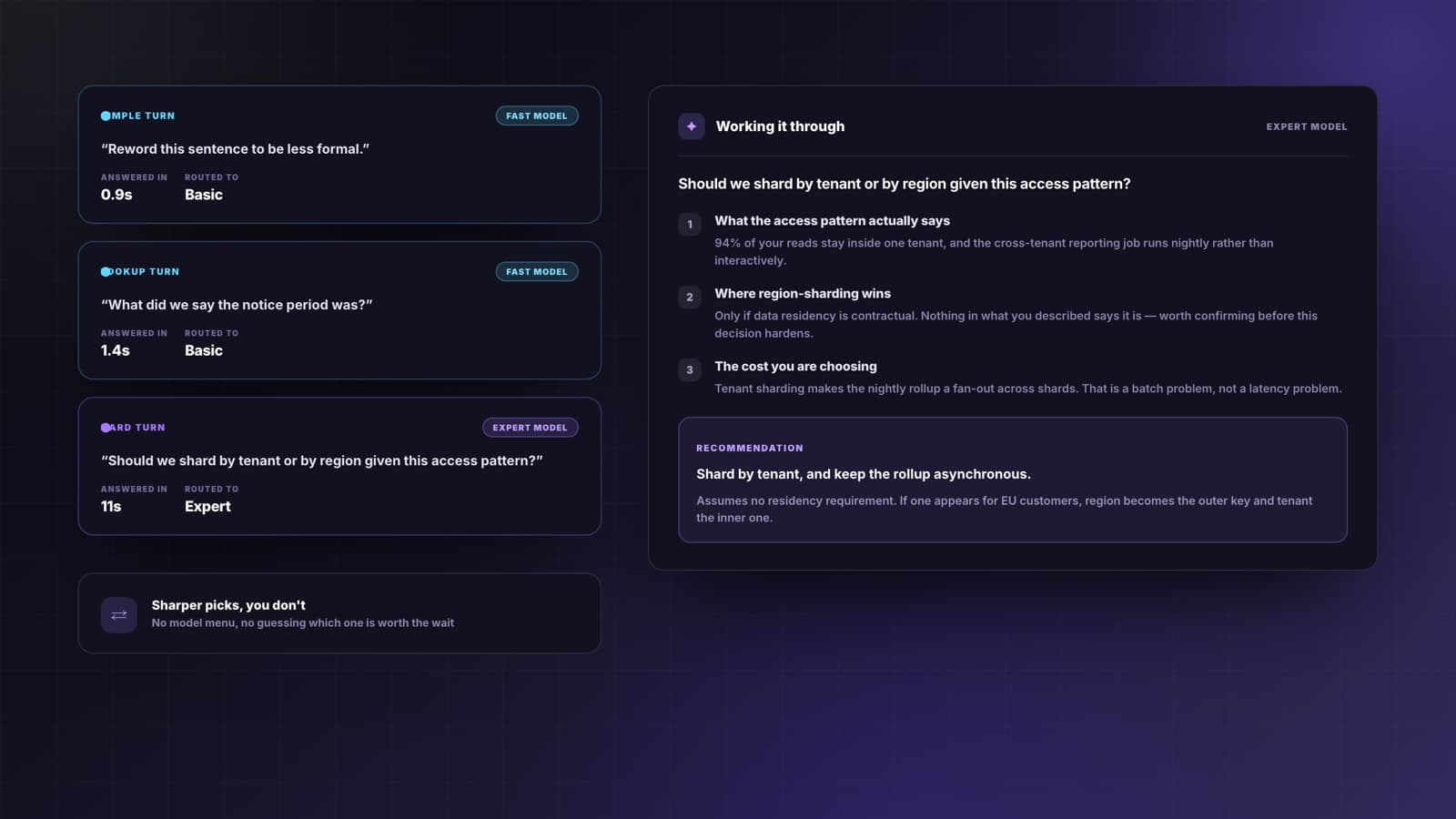
A chat showing a difficult question routed to the expert model, with the reasoning steps laid out

Work Through Hard Problems

Architecture calls, tradeoffs, tricky analysis. Sharper routes a hard question to an expert model and a simple one to a fast model, so you get real reasoning where it matters without waiting on it everywhere else.

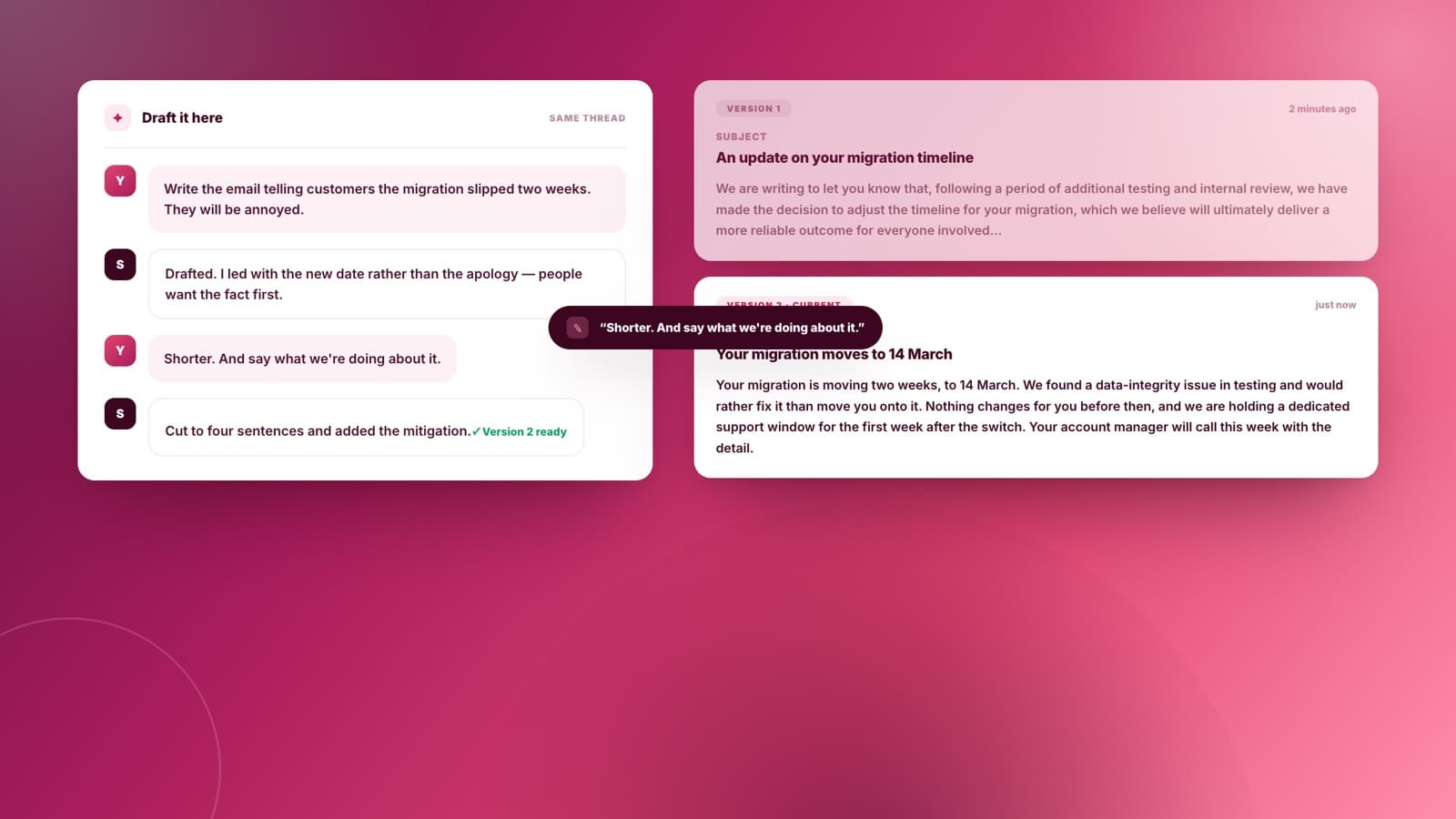
A chat drafting an email, with a revised version replacing the first draft in the same conversation

Draft and Rewrite In the Chat

Emails, replies, summaries, release notes. Say what it needs to do and who reads it, then keep refining in the same thread until it sounds right — no copying into another tool.

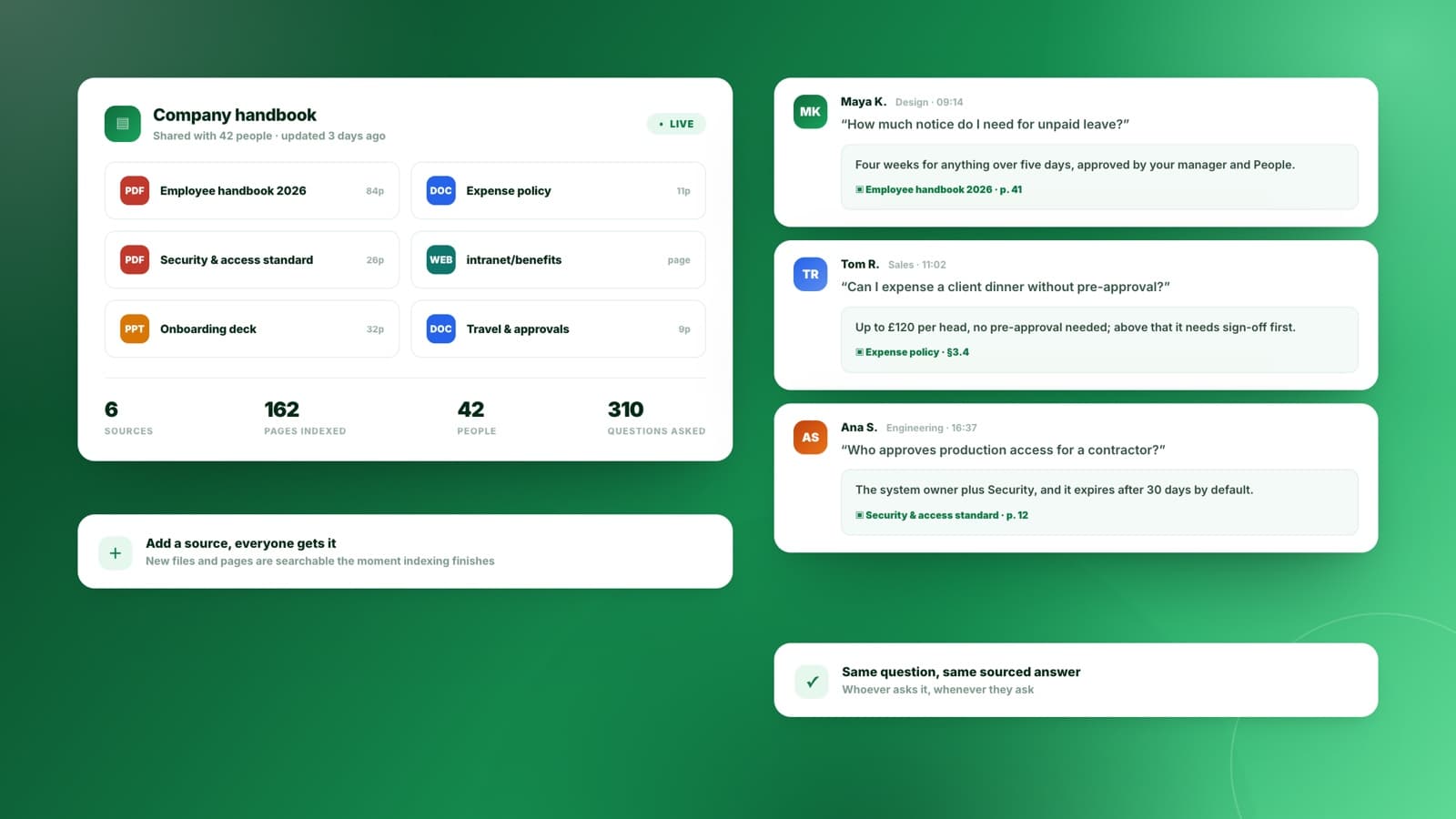
A shared team knowledge base of documents and webpages, with several people asking questions against it

One Knowledge Base, Whole Team

Put the handbook, the policies, and the specs in one place and let everyone ask instead of hunting. The same question gets the same sourced answer, whoever asks it and whenever they do.

How the AI Chat Works

Four things happen between your question and an answer you can act on.

1

Ask in plain language

Type the question the way you would say it. No prompt formula, no settings to get right first.

2

Point it at your sources

Attach documents, add a webpage, or pick a knowledge base your team already built. Sharper reads them before it answers.

3

The right model picks up

Straightforward turns go to a fast model; genuinely hard ones go to an expert model. You get the reasoning where it counts without paying for it everywhere.

4

Check the source, then move on

Answers from your documents carry the passage they came from. Open it, confirm it, and keep going in the same thread.

Answers You Can Verify

The difference between a chatbot and something you can use at work is whether you can check it. Ask across your own files and Sharper shows the exact passage behind every claim, highlighted in the original document.

Upload PDFs, Word files, decks, and webpages, or reuse a knowledge base your team already built
Ask follow-ups in the same thread, with the earlier sources still in context
Open the highlighted passage behind any claim before you rely on it
Illustrative view of a Sharper chat answering from an uploaded document.

Every answer, traceable

See how knowledge bases work

Frequently Asked Questions

What people ask before trusting an AI chat with work that has to be right.

What is AI chat?

AI chat is a conversation with a language model: you ask in plain language and it answers, then you keep going with follow-ups in the same thread. Sharper's adds one thing most chats lack — you can point it at your own PDFs, documents, and webpages, and it answers from those with the source passage attached.

Can I chat with my own PDFs and documents?

Yes. Upload PDFs, Word files, spreadsheets, or slide decks and ask questions across all of them at once. Sharper indexes them into a knowledge base, retrieves the relevant passages, and shows you the exact text behind each answer, highlighted in the original page.

Can it answer questions about a webpage?

Yes. Add a URL as a source and Sharper reads the page into your knowledge base, the same way it handles an uploaded file. Useful for documentation, long reports, and pages you expect to come back to, since follow-up questions stay grounded in what the page actually says.

Which AI model does it use?

It depends on the question. Sharper sends straightforward turns to a fast model and genuinely hard ones to an expert model, so you get careful reasoning where it matters without waiting for it on simple questions. You do not have to pick a model or know which is which.

How is this different from a general AI chatbot?

General chatbots answer from what the model absorbed in training plus whatever you paste in. Sharper answers from sources you chose and keeps them attached, so a claim about your policy or your contract can be traced back to the clause it came from rather than taken on trust.

Does it search the web?

When the question needs current information, yes. Sharper searches, reads what it finds, and keeps the links next to the claims they support. For questions about your own material it uses your knowledge base instead, so it is not guessing from the open web.

Is the AI chat free to use?

Yes. Chat runs on Sharper's Free plan. If you are not signed in you will be asked to create a free account first, which also keeps your knowledge bases and conversation history in one workspace.

Explore more tools

A conversation is often where the work starts. These tools take what you found in chat and turn it into something you can send.

AI chat

Ask it something that has to be right.

Bring your documents, your webpages, and your hardest question. Sharper answers, and shows you where the answer came from.

Free to start. No credit card required.