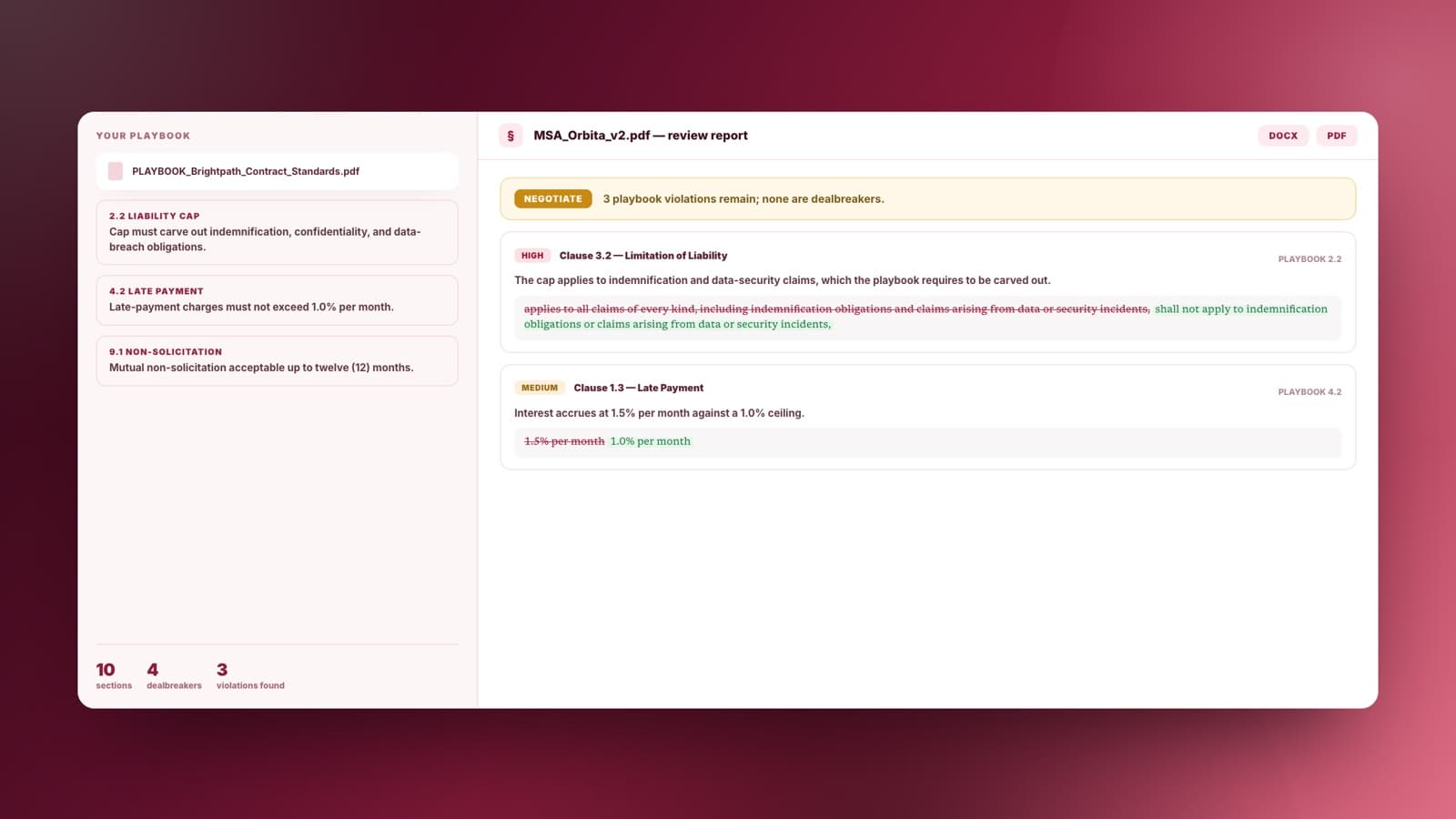
Review against your own playbook
Upload your standard positions and dealbreakers alongside the contract. Sharper flags what your company cannot accept, not generic legal boilerplate.
Attach a contract and your playbook. Sharper flags every deviation with a severity, a suggested redline, and the rule behind it.
Upload your standard positions and dealbreakers alongside the contract. Sharper flags what your company cannot accept, not generic legal boilerplate.
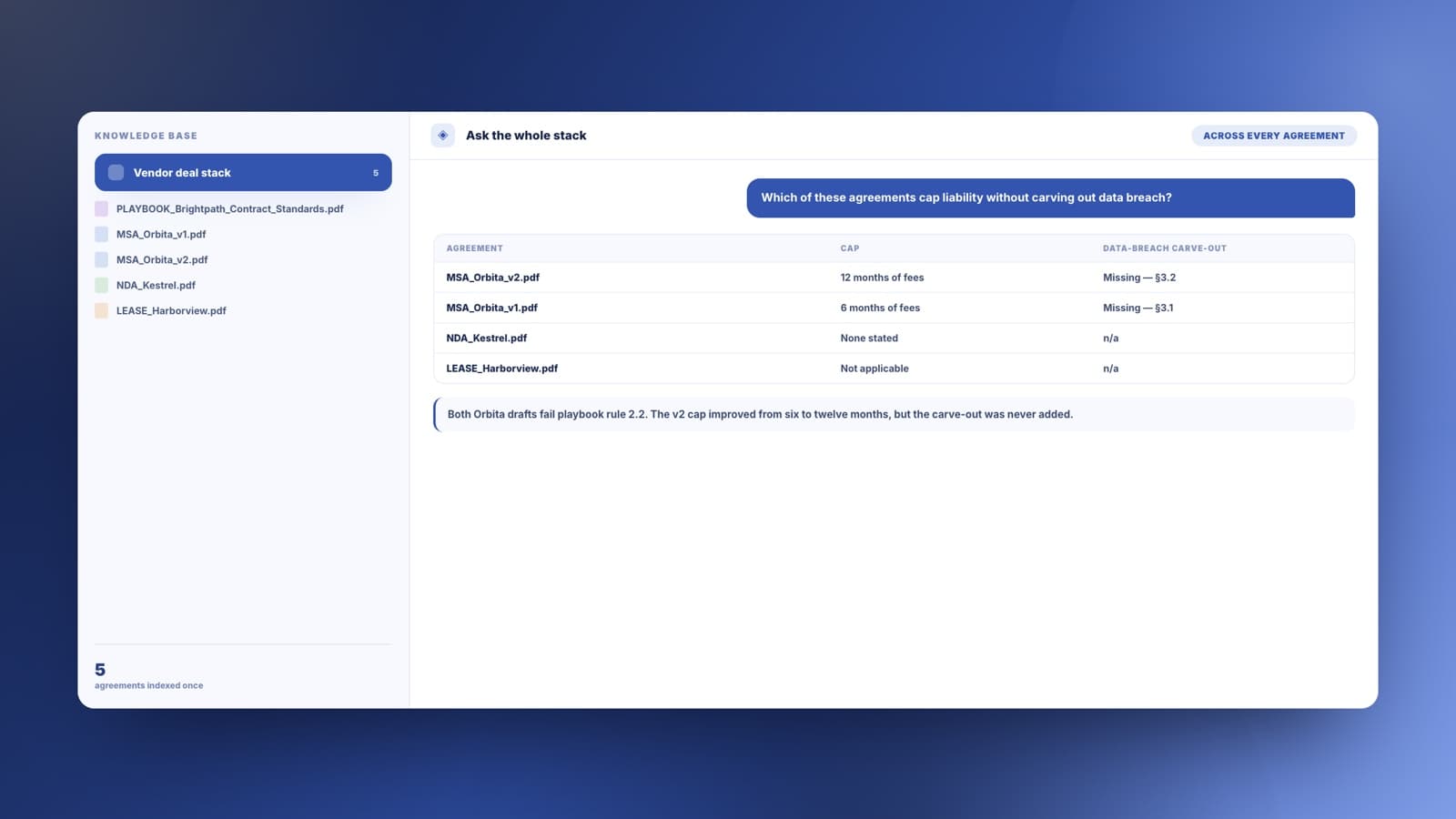
Build a knowledge base from contracts, drafts, and standards once, then ask what deviates, compare negotiation drafts, and reuse the same sources across tasks.
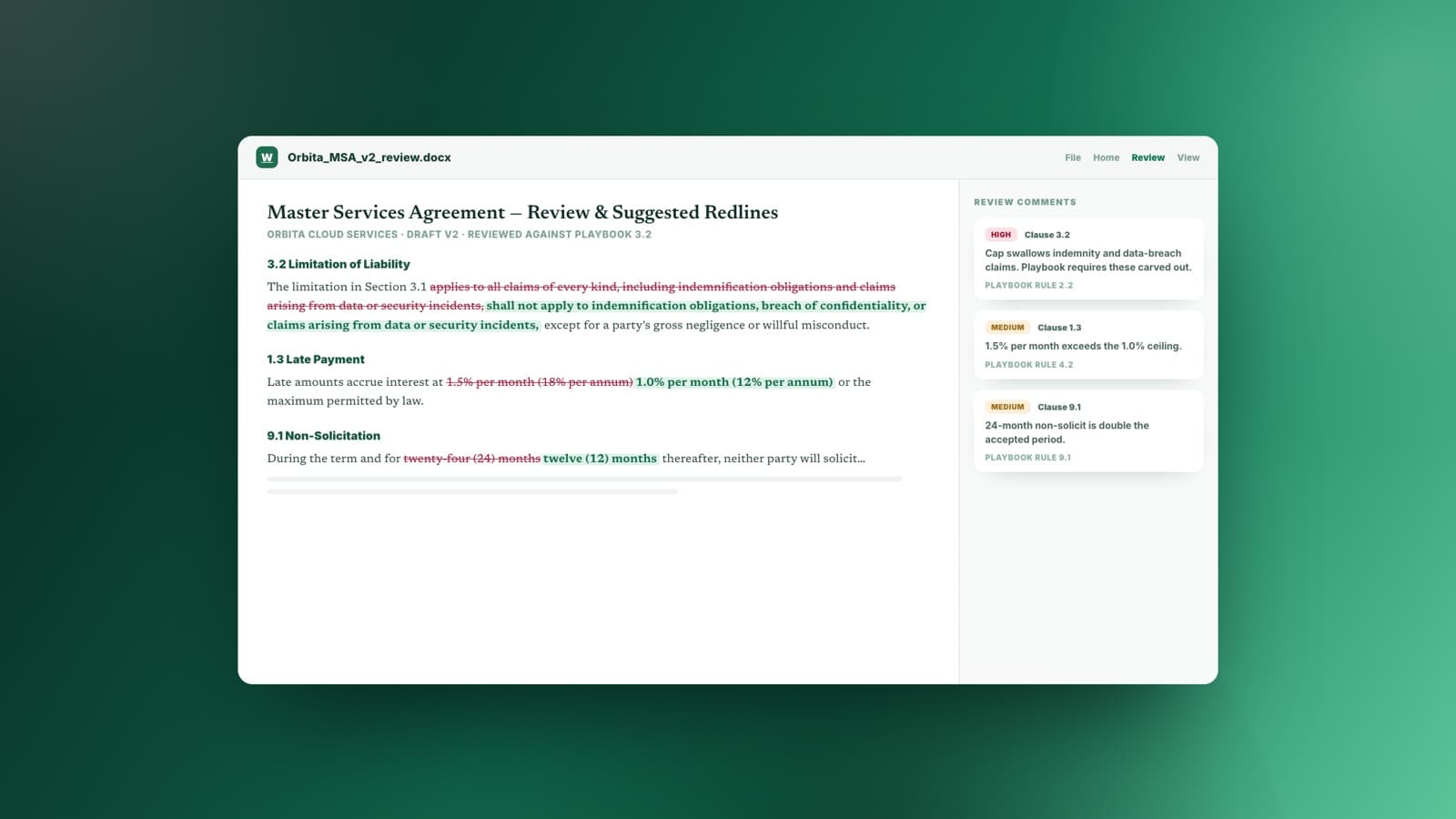
The deliverable is a Word document where each suggested deletion and replacement is marked in the text, with severity and a sign, negotiate, or walk recommendation.
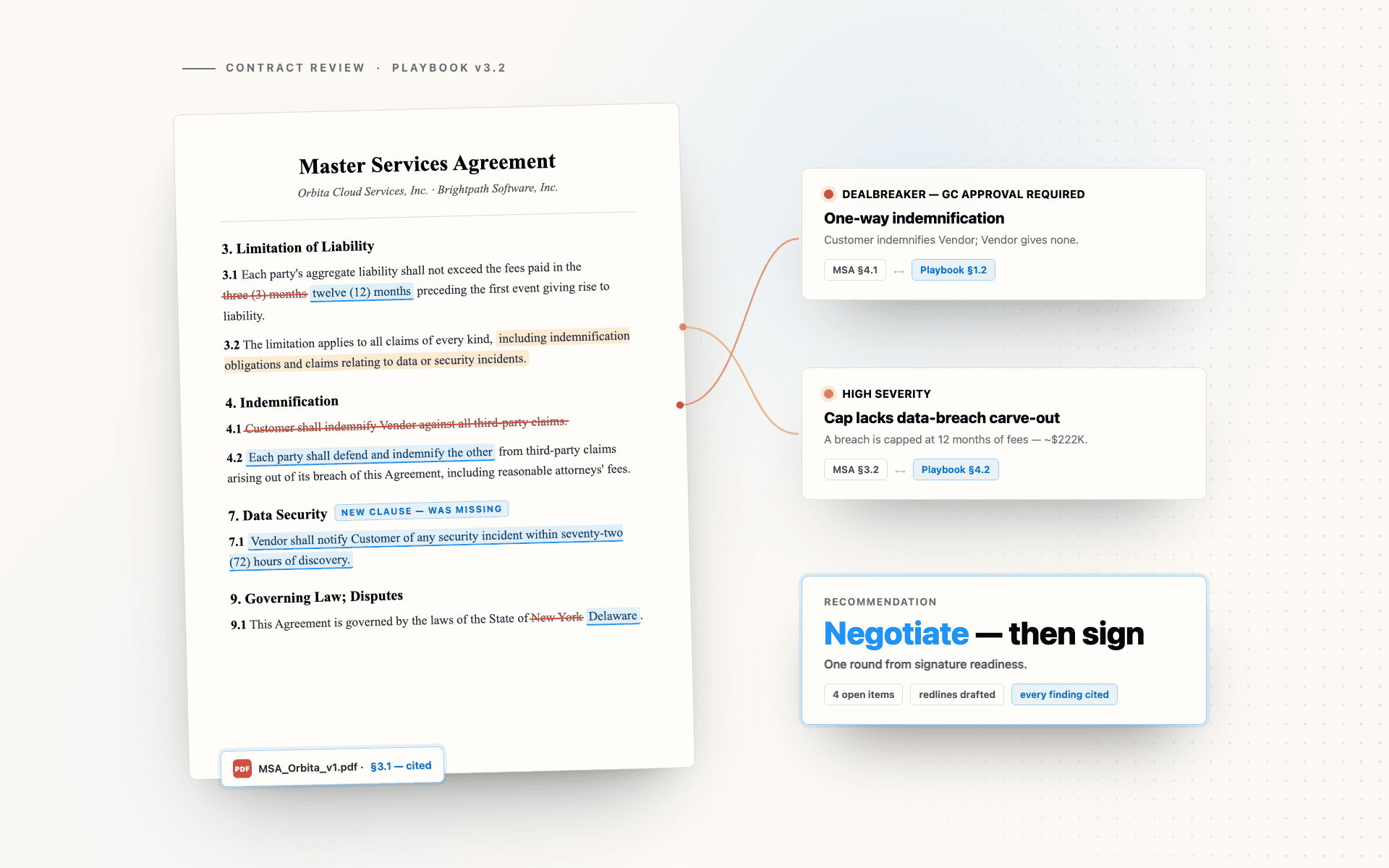
It helps when an agreement lands on your desk and the standards you measure it against already exist in writing.
Run first-pass review against your own playbook so the lawyer time goes to the judgment calls, not to finding the deviations.
Check every vendor paper against the same standards, and go into negotiation with the redlines already drafted.
Understand what you are signing, which terms are unusual, and which ones are worth pushing back on before you spend on review.
See which customer edits break policy the moment they come back, instead of waiting on a legal queue.
Give it the contract and the standards, let it check every clause, then work from the report.
The contract you are reviewing and the playbook it must satisfy. Use our sample pair if you want to see a full review first.
Each term is read against your standard positions and dealbreakers, not against a generic idea of what a contract should say.
Every finding carries a severity, the clause it came from, and the playbook rule it breaks, so nothing is a bare opinion.
You get a Word document with suggested deletions and replacements per clause, plus a sign, negotiate, or walk recommendation.
A review is only useful if you can see why something was flagged. Every finding names the clause it came from and the playbook rule it breaks.
A Word report with marked redlines
| Generic AI review | Sharper | |
|---|---|---|
| What it measures against | A generic idea of a fair contract | Your own playbook, dealbreakers included |
| Prioritisation | A flat list of observations | Severity per deviation, dealbreakers separated out |
| What you get | A summary in a chat window | A Word report with tracked redlines per clause |
| Traceability | Opinions with nothing behind them | Every finding cites the clause and the rule it breaks |
Practical details about using Sharper as an AI contract review tool.
It reads an agreement against your standards and produces a structured review. Sharper opens the work as a task: attach the contract and your playbook, ask what deviates, and review the findings with their citations.
Any agreement you can upload: vendor and customer MSAs, NDAs, leases, SOWs, and DPAs. You can also build a knowledge base that holds a whole deal stack and question it across tasks.
You provide your contract playbook with your standard positions and dealbreakers. Sharper reviews each clause against those rules and cross-references every violation to the rule it breaks.
A Word document with the findings: key terms, violations ranked by severity, and suggested redlines where each deletion and replacement is marked in the text, plus a sign, negotiate, or walk recommendation.
Yes. Ask for a draft comparison and it summarizes what changed, what was won, and what remains open by severity, including regressions hidden inside otherwise-improved clauses.
Yes. The task runs on Sharper's Free plan, which includes 300 credits per week. Paid plans add more credits and capacity for recurring reviews.
No. Sharper accelerates extraction, playbook checks, and drafting, with every finding cited so counsel can verify it quickly. Judgment calls and final sign-off stay with your lawyer.
Review is usually the start. These tools handle the summary deck, the tracker, and the rest of the writing around a deal.
Attach the contract and your playbook, open the prefilled task, and let Sharper draft the redlines.
Free to start. No credit card required.