Research across your sources with answers you can verify
Summarize one paper or synthesize across a collection. Explore concepts and connections, compare findings, inspect citations, and turn the evidence into editable research work.

One prompt. Finished work.
Ask in plain language. Sharper researches your sources and builds work you can review, edit, and reuse.
Literature review
From a paper collection to an editable, cited literature review
Read each paper consistently, explore concepts and graph connections, compare methods and limitations, then draft a cited literature review or related-work section you can revise.
See how it works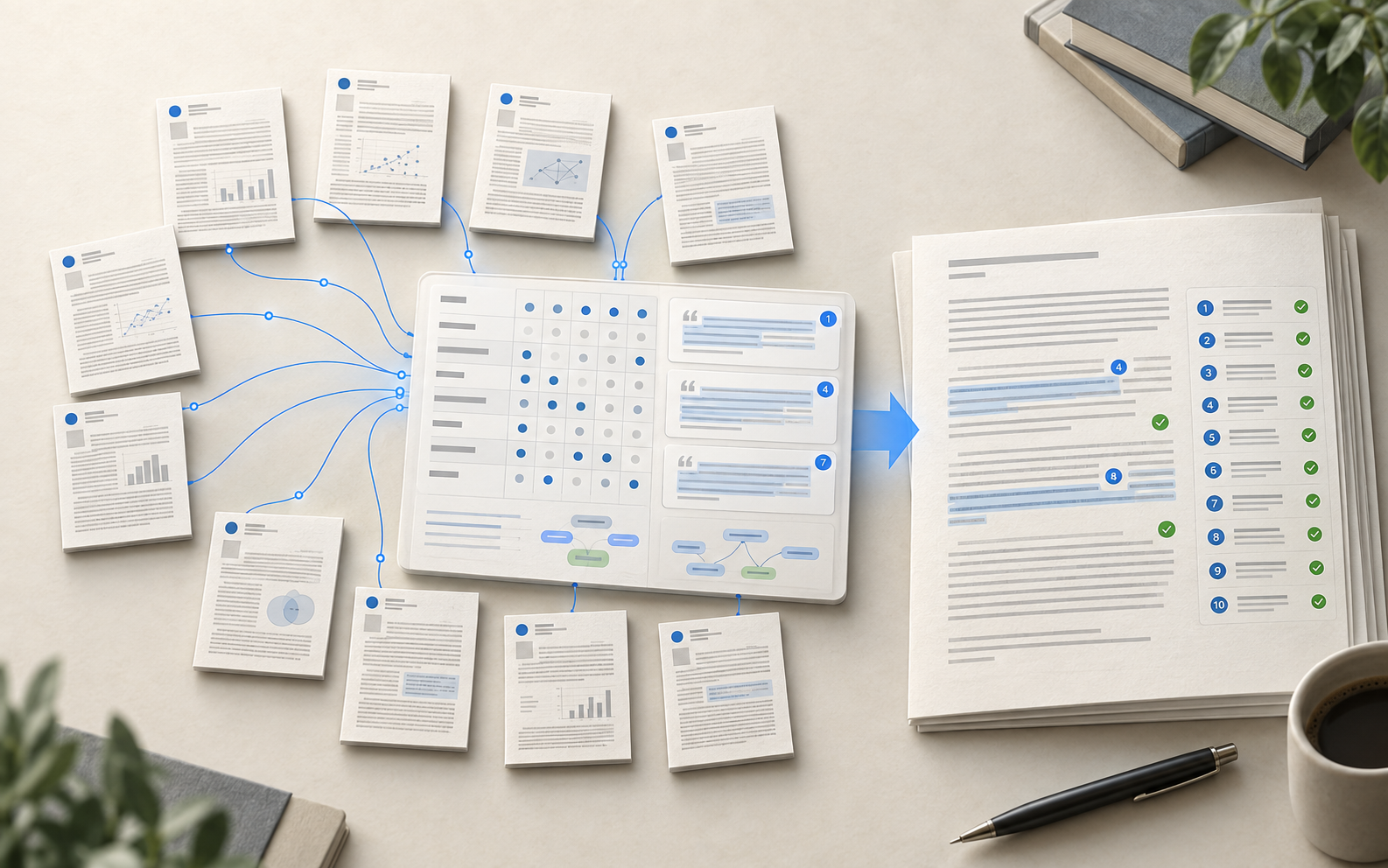
Synthesize these papers into a cited literature review.
KBKnowledge base Q&A
Grounded answers across all your files
Build a knowledge base from your documents, then get answers grounded in the source — every claim linked to the exact passage it came from.
See how it works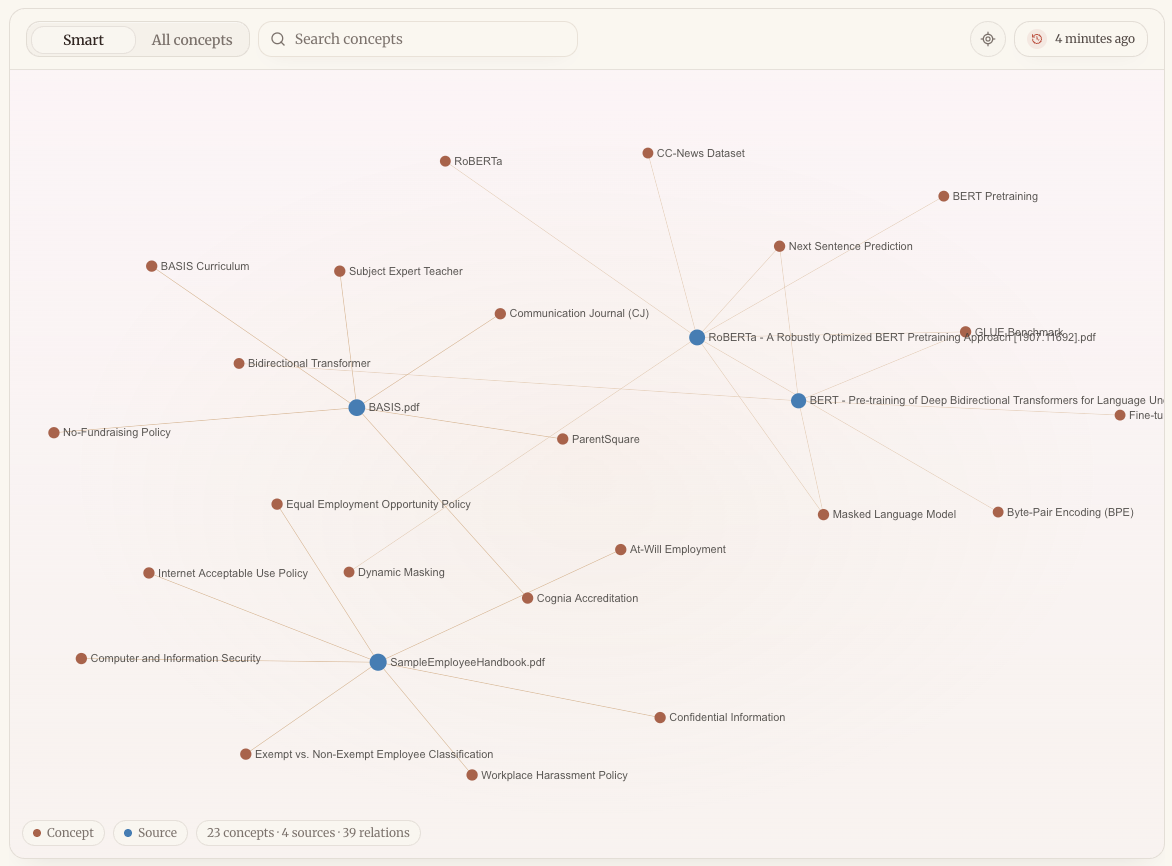
Answer this question using only our internal documents.
KBComparative analysis
From scattered documents to a side-by-side comparison
Turn a set of proposals or reports into a structured, side-by-side comparison, with every data point traced back to its source.
See how it works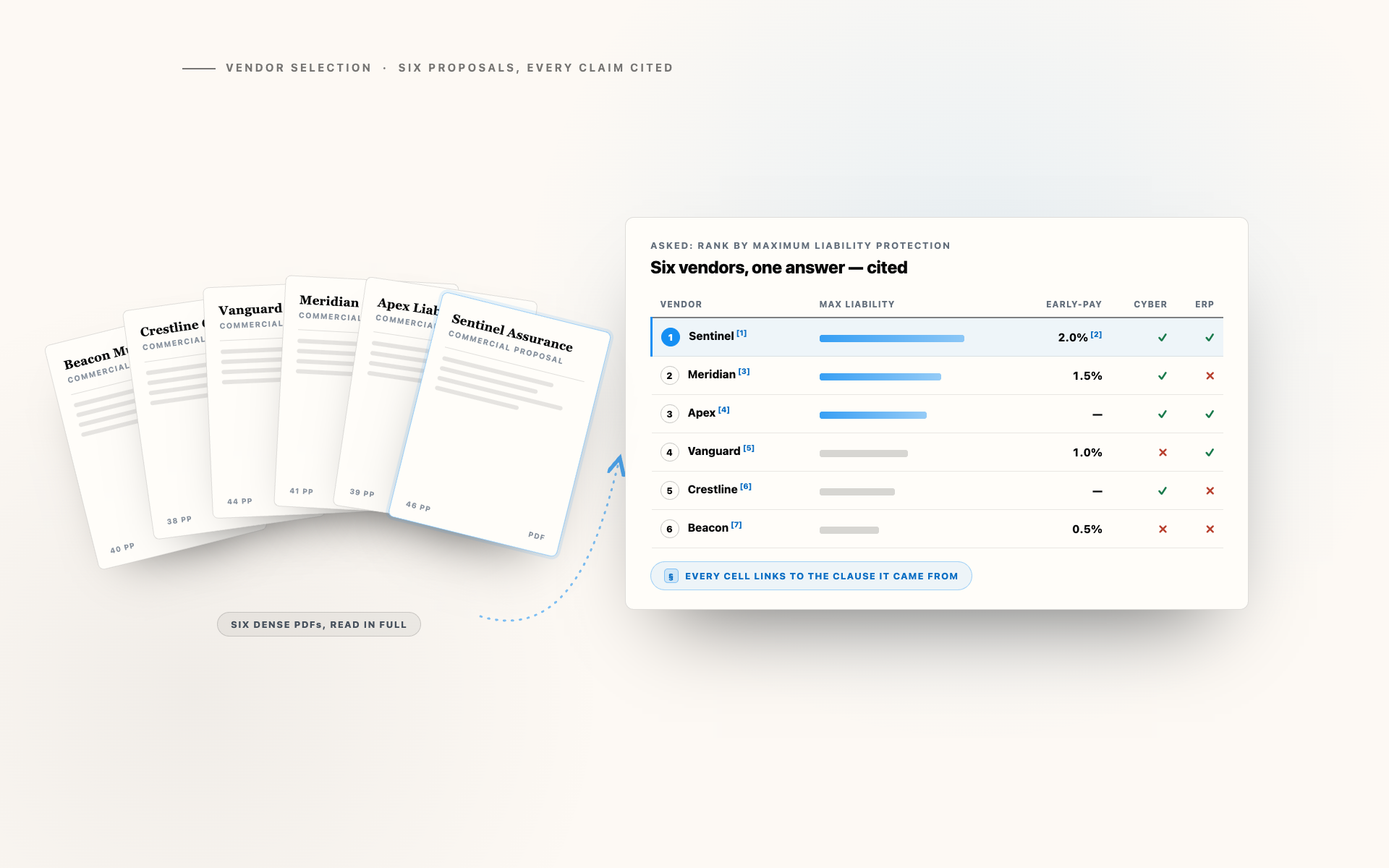
Compare these proposals side by side and cite each figure.
KB
Frequently asked questions
Answers to common questions about how Sharper works with your sources and deliverables.
How are answers kept grounded and verifiable?
Every answer is tied to the exact passage in your sources, so you can check each claim. When Sharper searches rather than reading a full file, it cites the retrieved passage.
What file types can Sharper analyze?
PDFs, Word documents, spreadsheets, presentations, and webpages — it reads across all of them and synthesizes one traceable deliverable.
Can it compare several documents at once?
Yes. Point it at a set of reports or proposals and it builds a structured, side-by-side comparison with every data point traced to its source.
Is our data used to train AI models?
No. Your documents are used only to answer your questions — never to train foundational or generalized AI models.
Put your next research workflow to work.
Start with the sources you trust, then ask Sharper for the outcome you need.
Start working