NotebookLM-style citation
Helpful inline citations and quoted text make source checking easier inside the answer view.

Looking for NotebookLM alternatives? Sharper is built for teams that need PDF-highlight citations, concept graphs, and scalable knowledge bases.
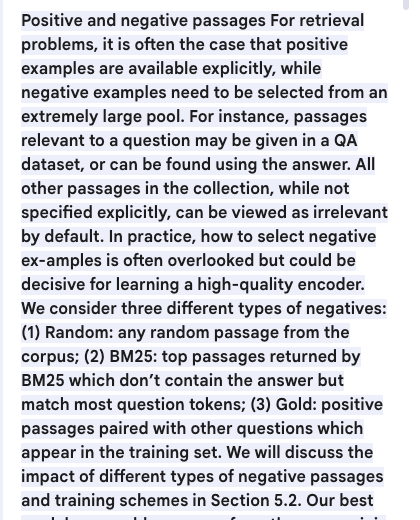
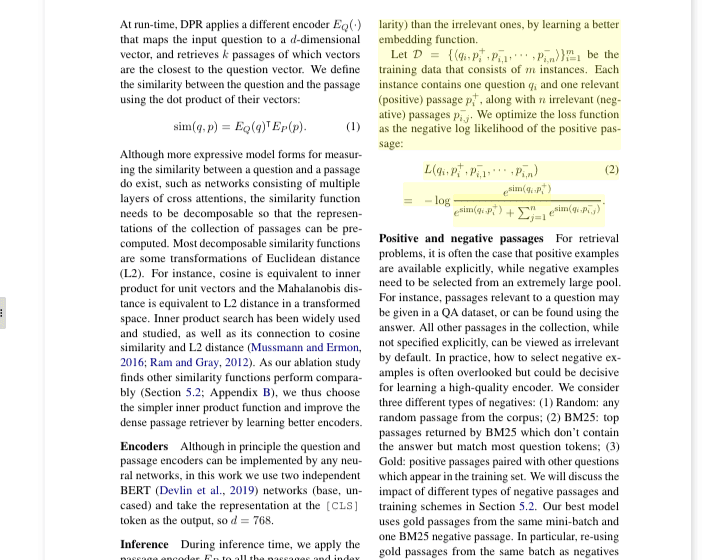
NotebookLM shows cited source quotes. Sharper opens the cited PDF page and highlights the exact supporting passage inside the document preview.
Helpful inline citations and quoted text make source checking easier inside the answer view.
Open the citation and the original PDF preview jumps to the highlighted passage, preserving page context, layout, figures, and nearby text.
Use NotebookLM for learning, summaries, audio overviews, and source-guided exploration. Use Sharper when the source must be inspected in the original PDF and reused across a larger team knowledge base.
Citations point to source quotes in the notebook experience.
Citations open a PDF preview with the exact passage highlighted.
Sharper is stronger when page context and original layout matter.
Mind maps and notes help explore one notebook.
Concept pages and a knowledge graph connect ideas, entities, and source documents.
Sharper is better for browsing relationships across a corpus.
Great for notebooks built from selected sources, with documented per-notebook source limits.
Built around reusable knowledge bases, semantic retrieval, archives, and large document collections.
Sharper fits teams that expect the corpus to keep growing.
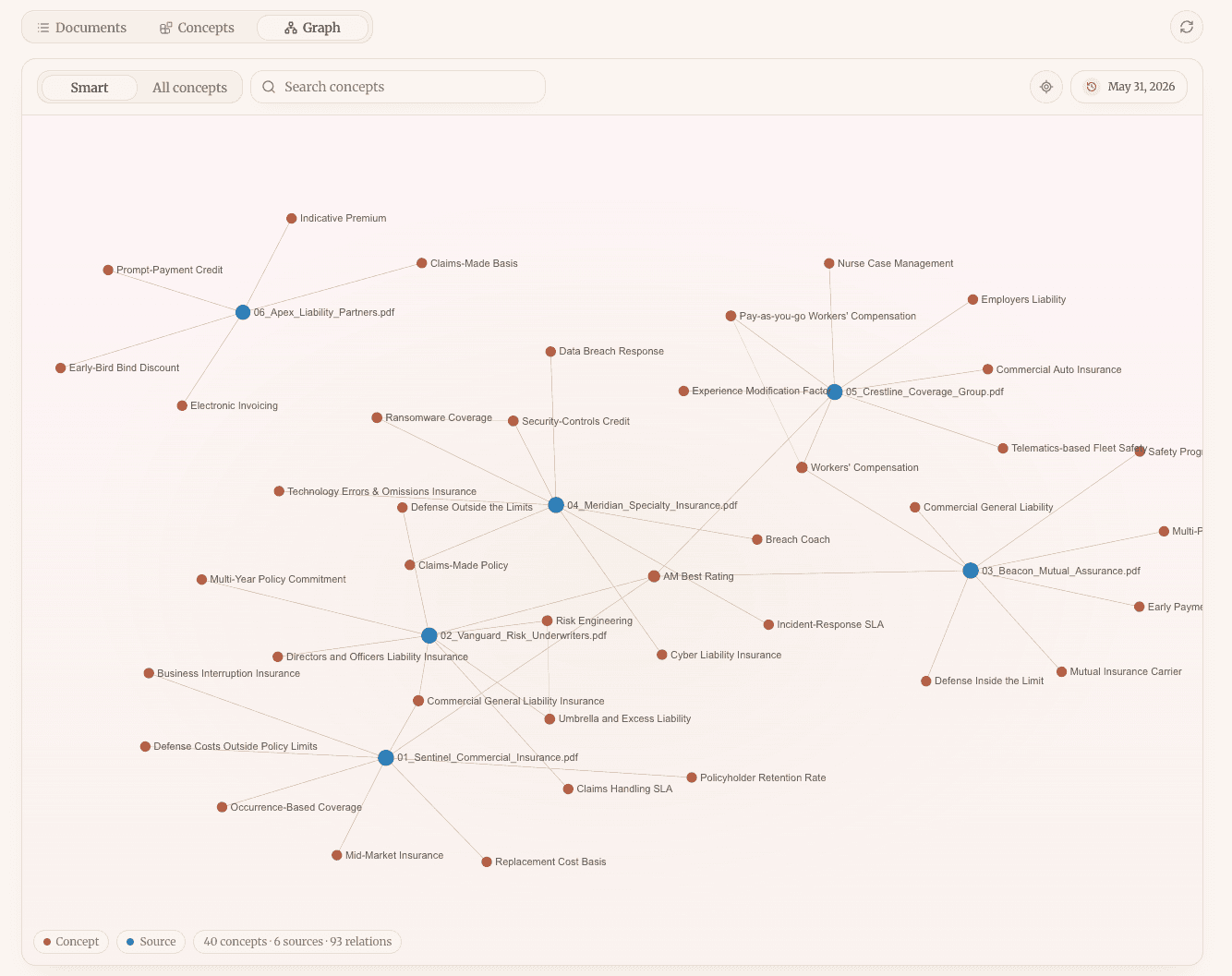
Sharper does more than answer a question. Concepts turn recurring entities and ideas into pages; Graph shows how they connect to documents and to each other.
Browse recurring entities and ideas as reusable knowledge pages.
See relationships across documents, not only inside one answer.
Keep expanding the knowledge base as more PDFs and files arrive.
These Sharper workflows are the closest fit for teams evaluating NotebookLM alternatives.
Ask documents and verify highlighted PDF citations.
Review PDFs against a playbook with clause-level evidence.
Turn sourced research into a publishable article package.
Build reusable source collections for grounded work.
Analyze and synthesize sources with citations.
Compare papers and verify claims in the source.
Sharper is a strong NotebookLM alternative when teams need PDF-highlight citations, reusable knowledge bases, concept pages, and a graph across many documents.
Choose Sharper when verification must happen in the original PDF preview, when concepts need to connect across documents, or when the collection is expected to grow over time.
Build a knowledge base, ask a question, and inspect the highlighted PDF evidence.