Put recurring work on the calendar
Daily supply-chain briefings, Monday SEO monitors, weekly product summaries: the work your team repeats becomes tasks that run on time.
Free AI task scheduler
Describe the work and when it should happen. Sharper creates the schedule, runs it on time in your timezone, and keeps every run reviewable with the task it produced.
Runs on time, and every run leaves a trail
Scheduled task prompt
Prefilled with the Monday briefing example
Every , research the week's top news about and prepare a five-minute briefing with cited sources. Start a fresh task for every run.
Free to start: the task runs on Sharper's Free plan. If you are not signed in, you will be asked to create a free account first.
Put recurring work on the calendar: tell Sharper what should happen and when, then inspect every run and the task it produced.
Daily supply-chain briefings, Monday SEO monitors, weekly product summaries: the work your team repeats becomes tasks that run on time.
Describe the work and the recurrence together. Sharper prepares the request with the schedule, timezone, and run mode visible, and you review it before anything is created.
Use the calendar or task list to review upcoming work, open a schedule's configuration, pause or resume it, and create a task for a specific date.
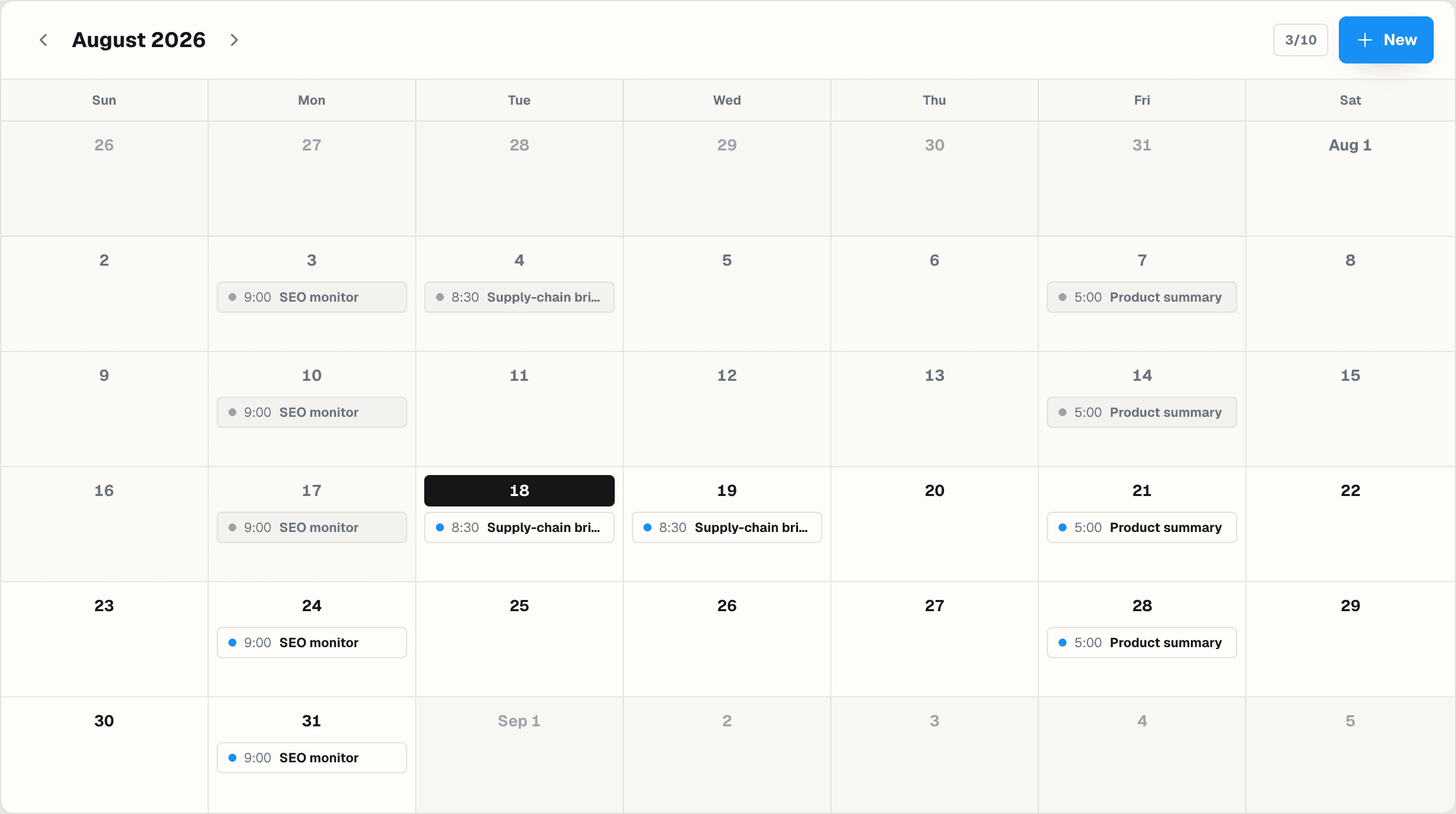
A schedule you can trust needs more than a cron line. Sharper keeps the configuration visible, asks before acting, and preserves the history of every run.
The prepared request is shown in New Task before the schedule is created, and normal action confirmations stay enabled unless you explicitly change them.
Completed runs link back to the task conversations they created, and failed runs stay visible for diagnosis instead of disappearing.
One-time, hourly, daily, weekly, and monthly recurrence, anchored to an explicit timezone, with a fresh task per run or one continuing conversation.
Practical details about using Sharper as an AI task scheduler.
Yes. Describe the work, start time, recurrence, timezone, and run mode in plain language. Sharper prepares the request and creates the persistent schedule after you review it.
Scheduled tasks support one-time, every-N-hours, daily, weekly, and monthly schedules. Weekly and monthly schedules use the weekday or month day from the start time.
Same task reuses one conversation so context accumulates across runs. Independent task starts a fresh conversation for every run, which suits standalone briefings and reports.
Failed runs stay visible in the run history for diagnosis. Completed runs link back to the task conversation they created, so you can always inspect what a run actually did.
Every schedule is anchored to an explicit timezone, so an 8:00 AM briefing stays at 8:00 AM local time regardless of where your team or servers are.
Yes. The task runs on Sharper's Free plan, which includes 300 credits per week and up to 3 scheduled tasks. Paid plans add more credits and capacity.
Normal action confirmations stay enabled by default, so a scheduled run asks before taking consequential actions unless you explicitly configure it otherwise.
Describe the work and the schedule, review the prepared task, and let Sharper run it on time.