Turn a report into a deck
Attach a quarterly review, research report, or project update and ask for the deck you need. The numbers on the slides are the numbers in the document.
Free AI slides tool
Attach a report and describe the deck. Sharper reads the source, reuses its charts and tables, builds native slides, and delivers an editable PowerPoint it has visually checked.
An editable deck, checked and ready
Slides task prompt
Prefilled with the sample report walkthrough
Attachment
Brightpath_Q2_FY26_Business_Review.pdf
11-page sample report · 6 charts · PDF
The sample report from our walkthrough. In the task, attach this file or your own report before running the prompt.
Prompt
Use the attached quarterly report to create a for . Reuse the charts and tables from the PDF, and add a final 'risks and next quarter priorities' slide.
Free to start: the task runs on Sharper's Free plan. If you are not signed in, you will be asked to create a free account first.
Use the generator when the source material already exists: a quarterly report, a project brief, or a knowledge base, and you need it turned into a presentation that stays true to the numbers.
Attach a quarterly review, research report, or project update and ask for the deck you need. The numbers on the slides are the numbers in the document.
Sharper can reuse charts and tables extracted from the PDF, pull from knowledge bases, add cited web research, and generate diagrams where the source has none.
The deliverable is a real .pptx file with native text, charts, and tables you can open in PowerPoint, Keynote, or Google Slides and keep editing.
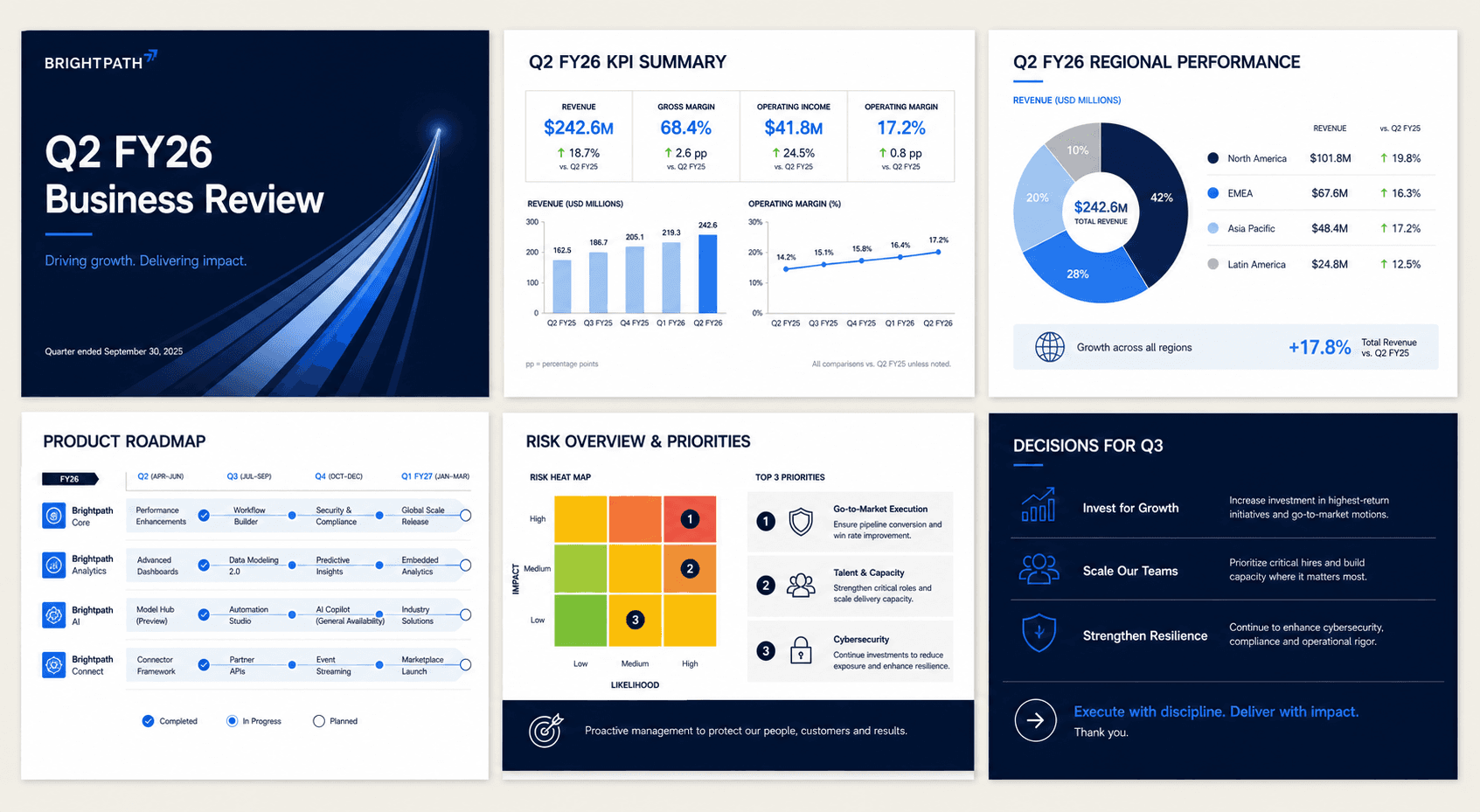
Template tools give you layouts to fill in. Sharper does the production work: it reads the source, builds the full deck, and inspects the rendered slides before handing them over.
The deck is built from the report, files, or knowledge base you provide, not from model memory, so every number and chart traces back to the source.
Sharper validates the PPTX structure, renders the slides, and visually inspects them for clipping, overlap, and blank slides before delivery.
Follow-ups take one sentence: generate a roadmap diagram, add a researched competitive slide with cited sources, or restyle the deck for a board meeting.
Practical details about using Sharper as an AI slides generator.
An AI slides generator turns a brief and source material into a finished presentation. Sharper opens the work as a task: you attach a document, describe the deck, and review the result in the workspace.
Attached files such as PDF reports and documents, knowledge bases you have built in Sharper, charts and figures extracted from PDFs, and cited internet research.
Yes. Adjust the deck type and audience on this page, then send the prompt. Inside the task you can edit the full request and attach your own report before running it.
A native, editable PowerPoint file: real text boxes, charts, and tables rather than images of slides. Open it in PowerPoint, Keynote, or Google Slides.
Yes. It validates the file structure, renders the deck, and visually inspects the slides for clipping, overlap, missing media, and blank slides before delivery.
Yes. The task runs on Sharper's Free plan, which includes 300 credits per week. Paid plans add more credits and capacity for recurring decks.
No. The deck is grounded in the material you provide, and the visual system adapts to the brief, from restrained board reporting to bolder product-launch styling.
Attach your source, open the prefilled task, and let Sharper build and check the slides.