Build a workbook from a requirement
Describe the model, tracker, report, or dataset you need. Sharper builds the sheet structure, formulas, charts, and checks.
Free AI spreadsheet tool
Describe the model, tracker, or report you need. Sharper builds the structure, writes real formulas, recalculates the results, and validates the workbook before you open it in Excel.
A real Excel model with live formulas
Spreadsheet task prompt
Prefilled with the revenue-plan example
Attachment
northstar-fy26-monthly-revenue.csv
9 months of revenue by stream · customer counts · CSV
The monthly revenue data behind the example. In the task, attach this file or your own data before sending the prompt.
Use the attached monthly revenue data to create a for : a Summary sheet with quarterly revenue by stream, base and upside scenarios for Q4, editable assumptions in their own sheet, and a summary chart.
Free to start: the task runs on Sharper's Free plan. If you are not signed in, you will be asked to create a free account first.
Start with a workbook or an idea: build a new model from requirements, or bring an existing .xlsx file to clean data, trace formulas, and make precise changes.
Describe the model, tracker, report, or dataset you need. Sharper builds the sheet structure, formulas, charts, and checks.
Attach an .xlsx in the task to clean data, trace formulas, investigate anomalies, or make precise changes without breaking what works.
The deliverable is an editable workbook with visible assumptions, connected formulas, useful sheet structure, and formatting that clarifies the model.
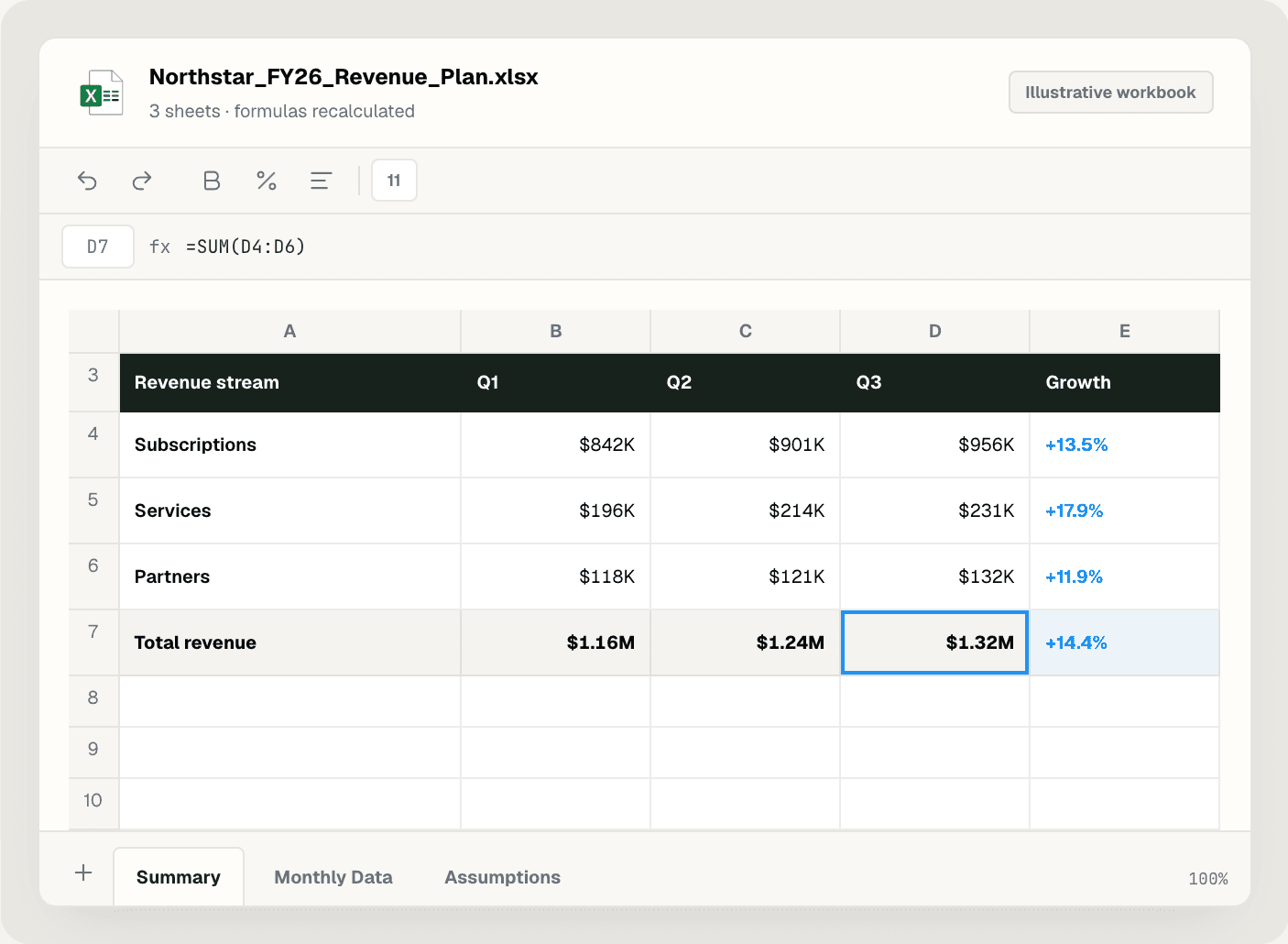
The spreadsheet skill checks its own work: it inspects the workbook, makes targeted changes, recalculates formulas, validates the file, and reviews the sheets that carry visual risk.
Every workbook is validated for expected sheets, charts, and common Excel formula errors, then the high-risk sheets are rendered and visually reviewed.
Sharper keeps editable formulas where inputs may change and recalculates results, so the workbook opens with current totals instead of stale numbers.
Summaries, source data, and assumptions live in separate sheets, and researched values stay traceable to their sources.
Practical details about using Sharper as an AI spreadsheet generator.
It turns a plain-English requirement into a working Excel file. Sharper opens the work as a task: describe the workbook, review the build steps, and download the finished .xlsx.
Yes. Attach an existing .xlsx in the task. Sharper inspects the sheets, formulas, styles, and structure before editing, so targeted changes do not break what already works.
Real formulas. Sharper keeps editable formulas where inputs may change, stores assumptions in dedicated cells, and recalculates results so the file opens with current totals.
A validated .xlsx workbook: structured sheets such as Summary, Data, and Assumptions, connected formulas, charts where useful, and formatting that clarifies the model.
It validates expected sheets, chart counts, source ranges, and common Excel formula errors, then renders the visually risky sheets to check the chart, labels, and visible totals.
Yes. The task runs on Sharper's Free plan, which includes 300 credits per week. Paid plans add more credits and capacity for recurring spreadsheet work.
No. The same skill cleans operational data, assembles sourced research tables, and builds scenario models, shaped by your requirements rather than a fixed template.
Describe the workbook, open the prefilled task, and let Sharper build, recalculate, and check it.